LA NY Worldwide
(512)-971-2007


OneScreen for Mac
OneScreen for Mac is a menu bar app that streams a display from your computer to an iPad in real time over your local network. Built for photographers and on-set teams who need live, color-accurate previews during commercial shoots, it pairs a built-in HEVC streaming engine with tight Capture One integration so clients, art directors, and crew can review work as it happens without crowding your workstation.
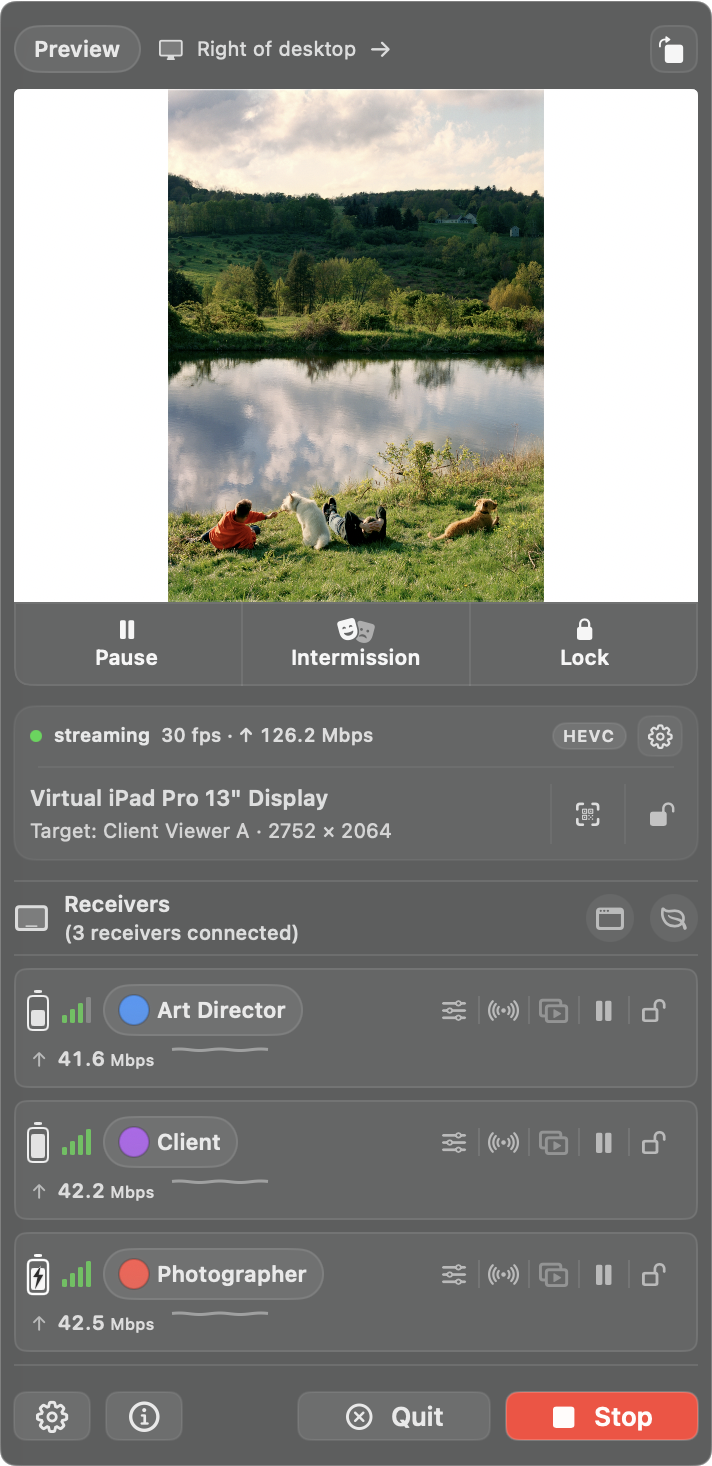
Streaming built for live shoots. OneScreen streams over HEVC by default. The engine is built into macOS, so there is nothing extra to install, and you can switch to NDI when you want to work alongside other NDI apps. Each engine remembers its own quality selection. Choose an Open Stream that iPads discover on the local network, or a Private Stream they join by scanning a QR code or entering a passcode. Over HEVC, a private session also encrypts the video between the Mac and any receiver that supports encryption.
Dial in exactly what goes out. Pick a quality preset - Maximum, High, Balanced, or Limited Network - or set a custom mix of stream size, frame rate, data rate from 20 to 120 Mbps, and 8-bit or 10-bit depth. A Stream Info strip always shows what is actually being sent, and while a stream is live the status pill reports the measured send rate.
Color-accurate output. Choose the output color space to match the job: Capture Default, Standard sRGB, Adobe RGB (1998), Display P3, or ITU-R BT.709. Connected iPads can then be tuned in real time with brightness and saved display profiles, and a profile can be synced to your other receivers so every screen on set agrees.
Virtual iPad displays. OneScreen can spin up an on-demand virtual display sized to current iPad models, in portrait or landscape and on whichever side of the desktop you choose. Pick Retina for a sharper workspace or Actual Size for a pixel-for-pixel match, then send a Capture One Viewer, a Client Viewer, or any app window straight to it. Keep Window Full Screen holds that window in place, Keep Cursor Off Display keeps the pointer from wandering onto the stream, and stray windows that land on the virtual display can be moved back automatically.
Intermission. Replace the live feed with a card of your own to cover wardrobe changes and breaks while every receiver stays connected. Build it from a logo plus text, a title card image, or a solid color, mirror it to your other displays, and use the local Test mode to check it at full size before the shoot without touching the stream.
Capture One integration. With Capture One installed, OneScreen exposes remote controls on the iPad: move through previous and next captures, rate 0-5 stars, apply color tags, AirDrop the selected image, trigger Live View, fire the shutter, and adjust camera settings. Toolbar actions cover Before/After, overlay, grid, guides, clear compare, and image rotation, and you decide which of them the iPad is allowed to use. Stream either the main Viewer or a Client Viewer.
Receiver controls. Connected iPads can be renamed, color-labeled, dimmed, locked, and managed from the menu bar, with saved name-and-color presets for quick assignment during fast-moving shoots. Identify a device to see which one you are holding, send it back to the live view, or pause and lock a single receiver without touching the rest. Power Save dims every receiver between setups, and framelines can be shown or hidden across the room in one click.
See what each iPad is getting. With Connection Quality on, every receiver row carries signal bars and that iPad's live data rate, so a struggling device shows up before anyone has to mention it, and battery can be shown as an icon or a percentage. Alerts for low battery, receivers going offline, and stream dropouts arrive as macOS notifications or as popups that stay up over full-screen apps. When something on an iPad is holding the stream, a banner offers a one-click way out.
Keep the controls where you are working. Pop the receiver list out of the menu bar into a floating, always-on-top window with its own pause, intermission, and lock strip, so the panel no longer closes every time you click elsewhere. A floating preview window mirrors what the iPad sees, with keep-on-top, opacity, click-to-close, and pause-while-open options. Hotkeys cover pause and resume, intermission, preview, full screen, lock controls, power save, framelines, and recalling the mouse pointer to the main display.
Local-first and private. Streams stay on your local network. There is no cloud upload and no account required to stream, and OneScreen holds the Mac awake for as long as a stream is running so it cannot idle-sleep mid-session and drop every receiver at once. A first-run setup sheet walks through Screen Recording, Local Network, and optional Accessibility access in one place; NDI Tools is needed only if you switch the engine to NDI. Requires macOS 14 or later.