LA NY Worldwide
(512)-971-2007


OneScreen for iPad
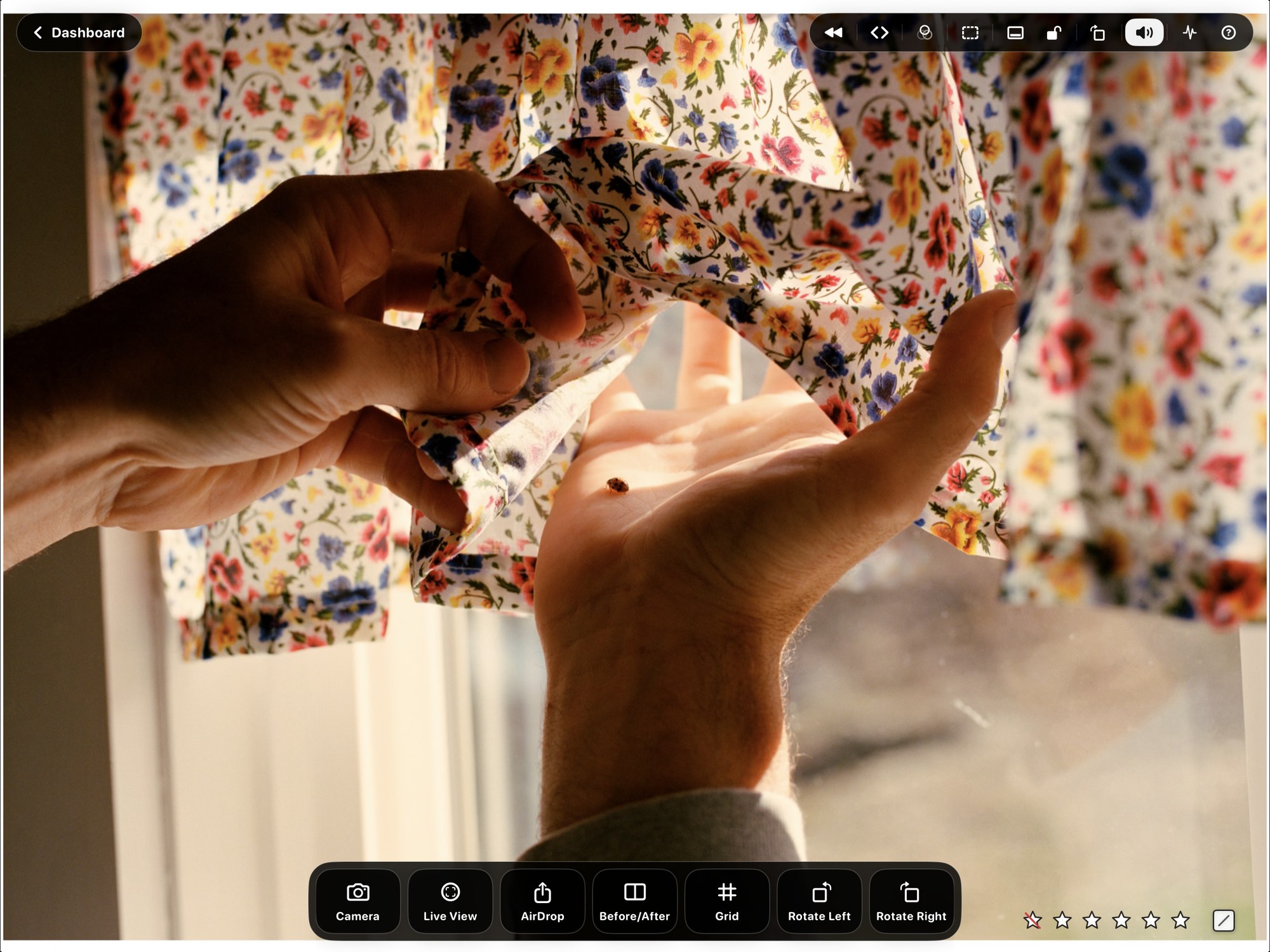
OneScreen for iPad turns the iPad into a dedicated live monitor for commercial photo sets. Paired with OneScreen for Mac, it receives a clean local-network stream so clients, photographers, art directors, and crew can review the Capture One Viewer away from the workstation without adding extra monitors or crowding the cart.
A full-screen set monitor. The viewer is built to get out of the way: the capture fills the screen and the controls fade until you reach for them. Pinch to zoom into a detail and the frame returns on its own, choose whether the stream fills the iPad or shows the entire frame, and keep the screen awake so it never dims in the middle of a review.
Find the stream, then stay on it. A dashboard lists every OneScreen Mac on the network, so one iPad can move between machines and streams without being set up again. Tap an open stream to join it, or scan the QR code from the Mac to join a private one. The name you give the receiver is the name that appears on the Mac, which keeps a cart full of iPads legible.
Tune the picture on the device. Display Adjustments set warmth, tint, saturation, and contrast on the iPad itself, so a screen held in daylight can be brought into line with one at the cart. The adjustments never alter the incoming stream, and they can be applied to a connected external display at the same time.
The Control Deck. Capture One, laid out for a device you are holding. Move through captures, apply star ratings and color tags, hold to review back through what has already been shot, AirDrop the selected frame to whoever needs it, and reach Before/After, overlay, grid, guides, and rotation without walking back to the Mac. The Mac decides which of these an iPad is allowed to use.
Camera controls. With a camera tethered to Capture One, the iPad can fire the shutter and change the settings behind it - aperture, shutter speed, ISO, and white balance - and switch Live View on and off for framing.
Framelines and a second screen. Draw customizable framing guides over the live image to preview crop and composition while the capture stays visible. A connected external display can carry its own dedicated feed with only the overlays you choose, or simply mirror the iPad.
Know the stream is healthy. A draggable HUD reports connection status, video timing, and dropped frames, so a struggling link shows itself on the device instead of being guessed at from across the room. Diagnostics keeps the detail if support ever needs it.
Local-first and private. OneScreen streams over the local network. There is no cloud upload and no account required for the iPad receiver. Download it from the App Store and run it alongside OneScreen for Mac.